

Disable Right Click for Bagisto 2
Original price was: $49.00.$0.00Current price is: $0.00.
Disable Right Click for Bagisto 2 helps store owners control storefront interactions by disabling the browser context menu and selected keyboard shortcuts. Easily enable or disable the protection from the Bagisto admin panel.
- Disable right-click across the entire storefront
- Block selected keyboard shortcuts
- Helps discourage casual access to source and developer tools
- Simple admin configuration
- Works across desktop and mobile storefronts
- Built specifically for Bagisto 2.x
Product Description
Disable Right Click for Bagisto 2
Disable Right Click for Bagisto 2 is a simple storefront protection extension that lets store owners disable the browser context menu across their Bagisto store. It also blocks selected keyboard shortcuts commonly used to access browser tools and page source.
The extension is designed for merchants who want an additional layer of control over how visitors interact with their storefront. With a simple admin configuration, you can enable or disable the protection without modifying your theme or application code.
Disable Right-Click on Your Storefront
- Disable the browser context menu across the storefront
- Apply right-click protection across the entire store
- Enable or disable the feature directly from the admin configuration
- Works across desktop and mobile storefronts
Block Selected Keyboard Shortcuts
In addition to disabling the context menu, the extension can block selected keyboard shortcuts that visitors may use to access browser source and developer tools.
- Blocks commonly used copy-related keyboard shortcuts such as Ctrl+C
- Blocks shortcuts used to access page source
- Blocks shortcuts commonly used to open browser developer tools
- Helps discourage casual inspection of storefront content and code
Simple Admin Configuration
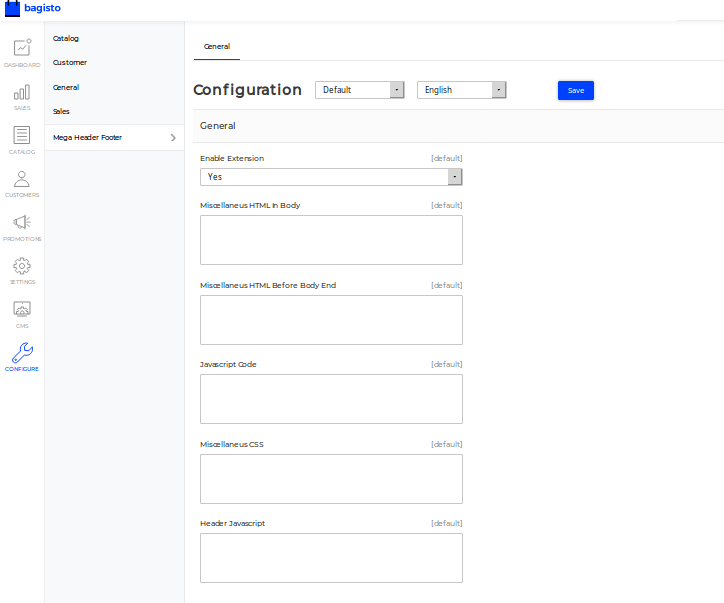
Keep the setup simple with an easy configuration option in the Bagisto admin panel. Store owners can turn the protection on or off whenever required without making changes to the storefront code.
- Simple enable/disable configuration
- No theme modification required
- Applies automatically across the storefront
Works Across Devices
The extension is designed to work across desktop and mobile storefronts, helping merchants maintain consistent storefront interaction controls for their visitors.
Built for Bagisto 2
- Designed specifically for Bagisto 2.x
- Works across the storefront
- Easy to enable or disable from the admin panel
- Suitable for different types of Bagisto eCommerce stores
Important Note
Disable Right Click is intended to discourage casual access to browser context menus, source shortcuts, and developer-tool shortcuts. It does not prevent determined users from accessing or copying content through other browser or technical methods.





Reviews
There are no reviews yet.